Case study 01· Tax & accounting for seafarers
Marine Accounts: Tax returns for people who are rarely on land.
A marketing site, client portal, back office and mobile app for a specialist accountancy whose clients spend most of the year at sea, with automation and AI doing the chasing, the reminding and the data entry.
- Client
- Marine Accounts
- Sector
- Tax and accounting for yacht crew and seafarers
- Engagement
- Ongoing since 2020
- Scope
- Website, client portal, back office, mobile app, AI and automation
- Design
- Front-end design by Dan Patching Creative Design
Overview
Clients at sea. Software that keeps up.
Marine Accounts looks after the tax affairs of yacht crew, cruise-ship staff and other seafarers, from offices in the UK, USA, Australia and New Zealand. Its clients are spread across every time zone, often with patchy internet and a few days ashore at a time.
That shapes everything about the software. A client might start a tax return in a crew mess in Antigua, upload a payslip from a marina in Palma, and sign it off weeks later from a phone. Nothing can rely on them being at a desk, in office hours, or remembering where they got to.
We have been Marine Accounts’ development partner since 2020. Over that time the platform has grown into the system the whole practice runs on: public site and free tax tools, a client portal, a business portal for limited companies, the staff back office, and an app for iPhone and Android.
- Countries with their own tax-return journeys
- 4
- UK, France, Australia, New Zealand
- Jobs that run on a schedule, unattended
- 15
- Reminders, chasers, syncs and reports
- Kinds of email the platform writes and sends
- 59
- Triggered by an event, a date or one click
- Screens in the iOS and Android app
- 44
- One codebase, both stores
The public site
Free tools first. Sign-up second.
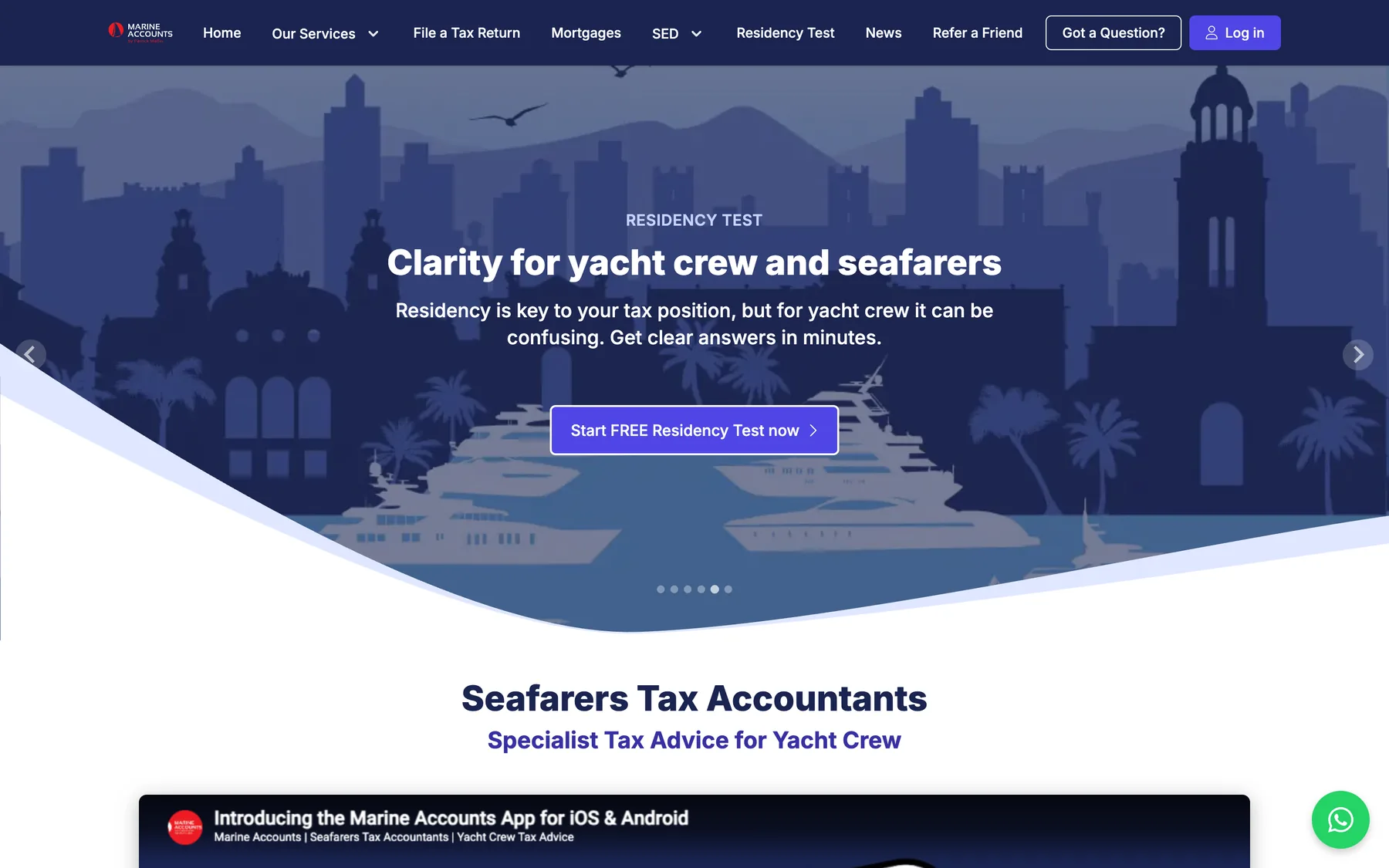
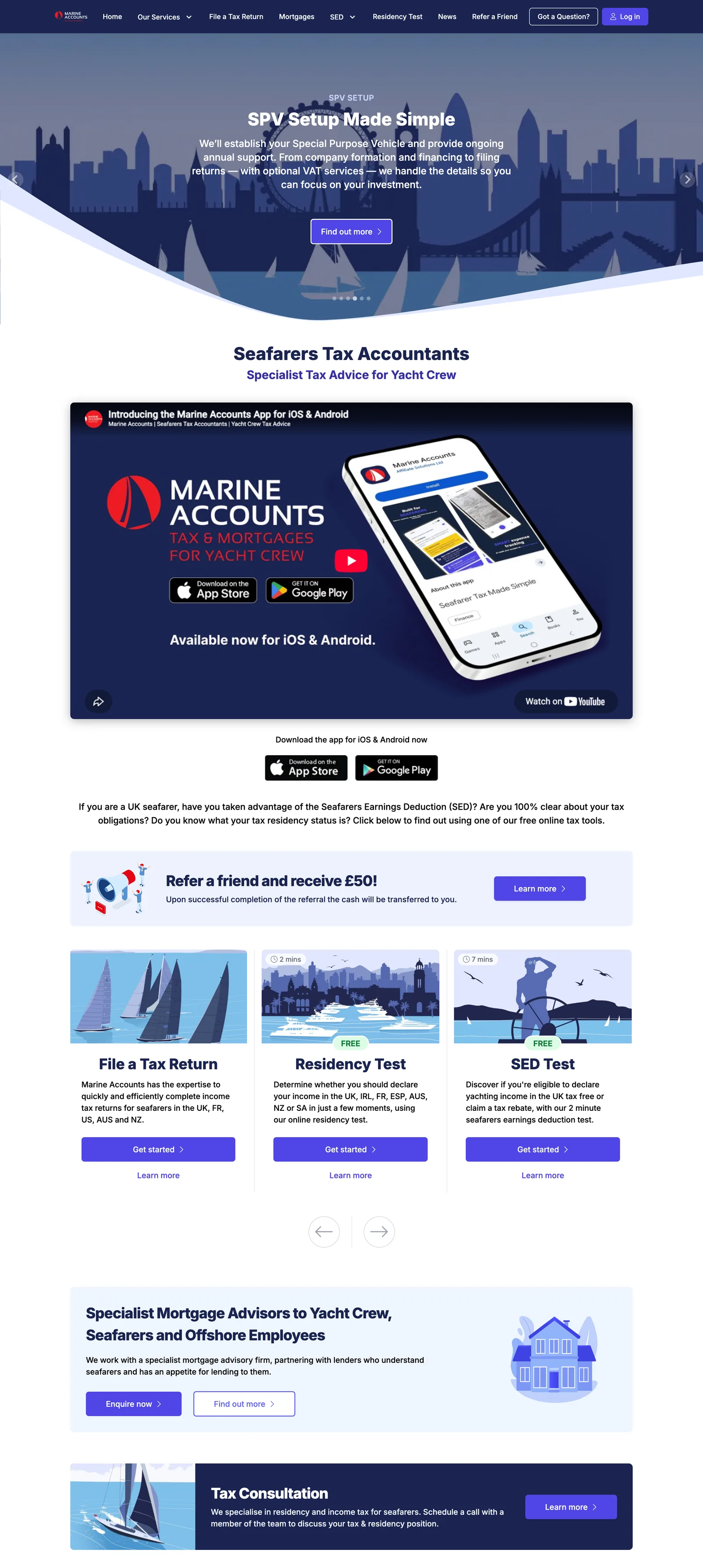
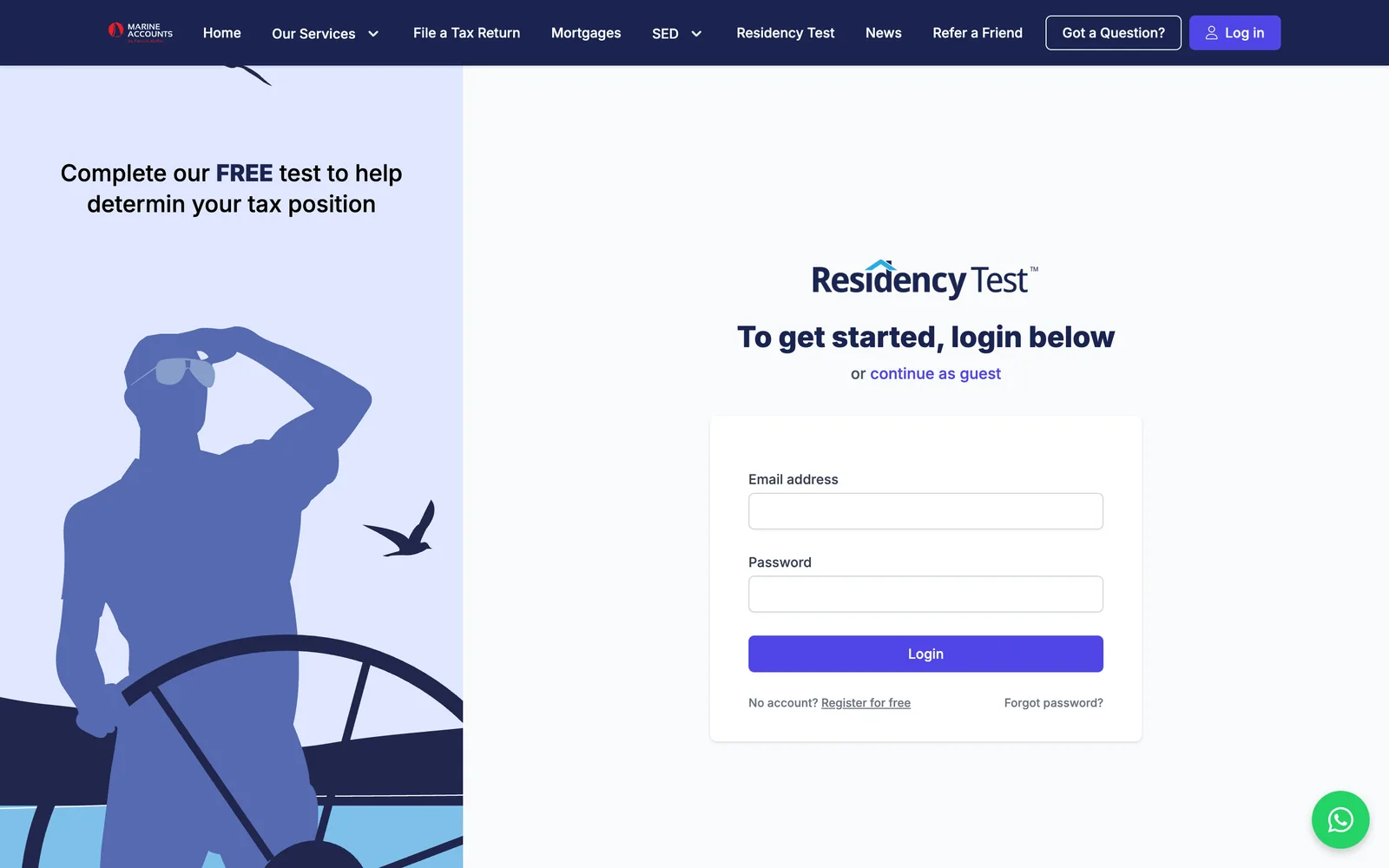
Most visitors arrive with a question, not a credit card: do I qualify for the Seafarers’ Earnings Deduction? Am I still UK resident? The site answers those with free interactive tests. Results are emailed to the visitor on the spot, with a copy to the team to follow up.
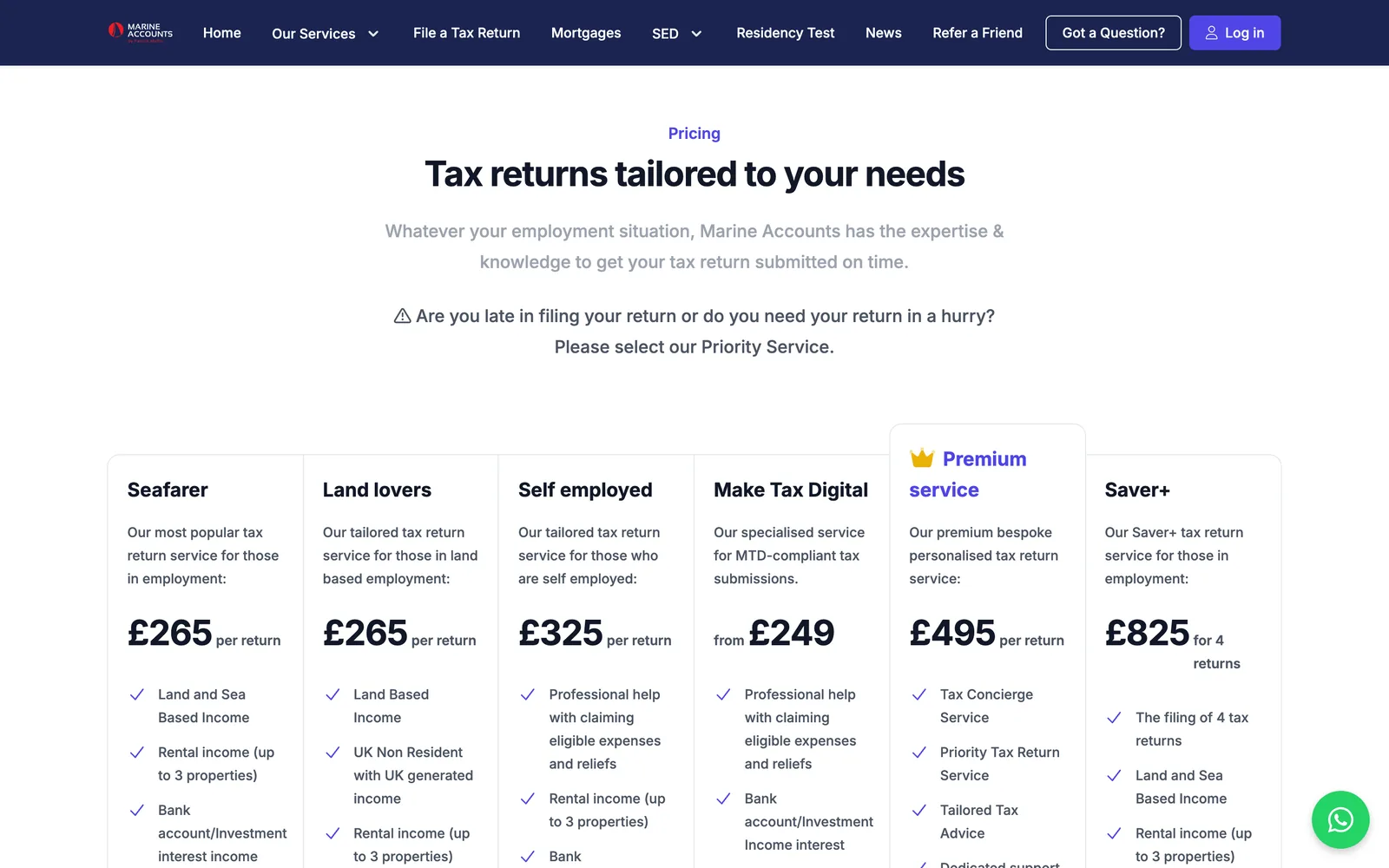
Pages, menus and news are managed by the Marine Accounts team in the back office. Pricing, sign-up and payment for a tax return happen in one flow, in any of four countries.
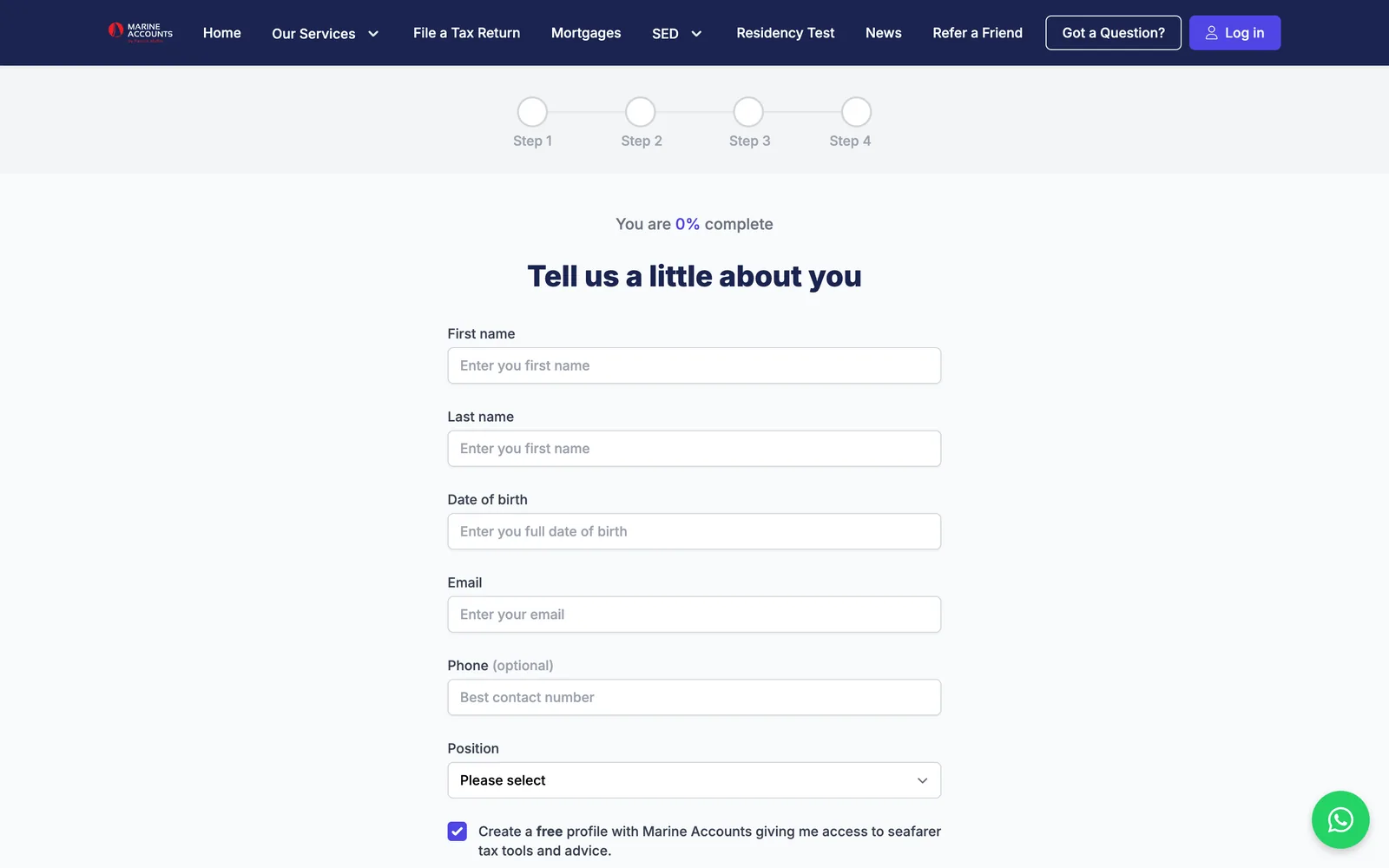
- Seafarers’ Earnings Deduction eligibility test
- Residency tests for seven countries
- Spanish Article 7P exemption calculator
- Tax-return sign-up and Stripe payment in one flow
- Company registration with live Companies House lookup
The client portal
Everything a client needs. Nothing they have to post.
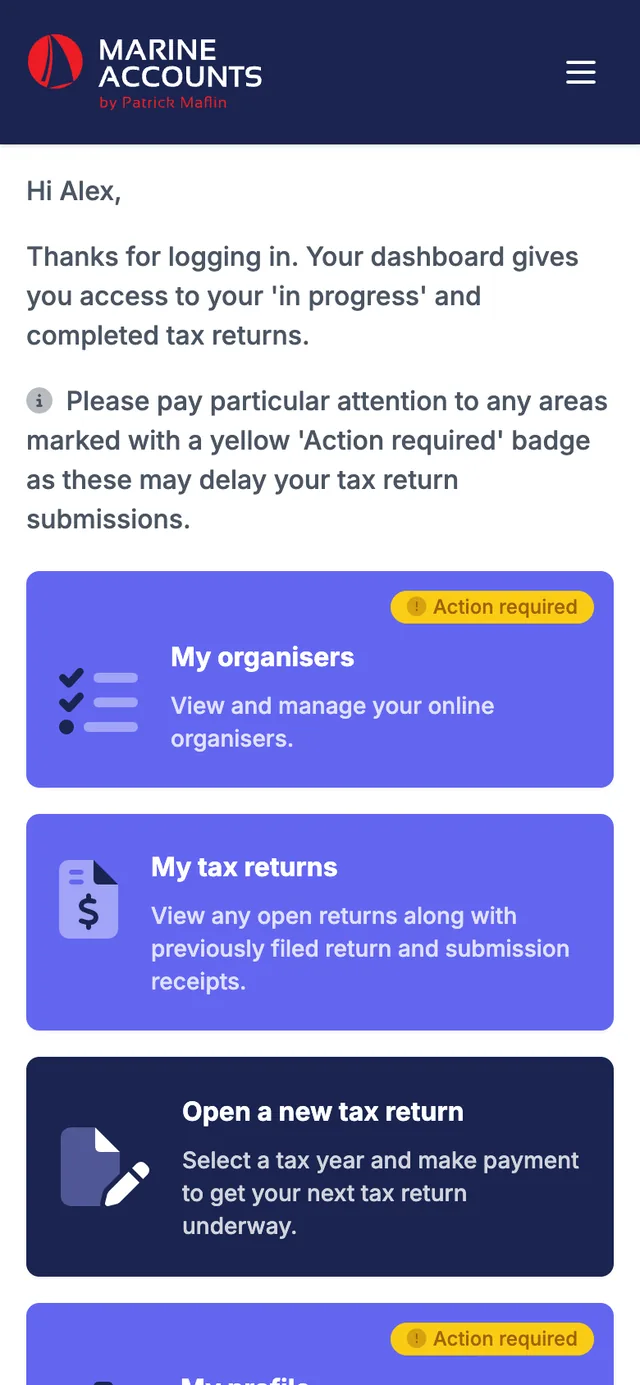
Once a client has signed up, the portal is where their tax return actually gets done. The screens below use a fictional client.
-
01
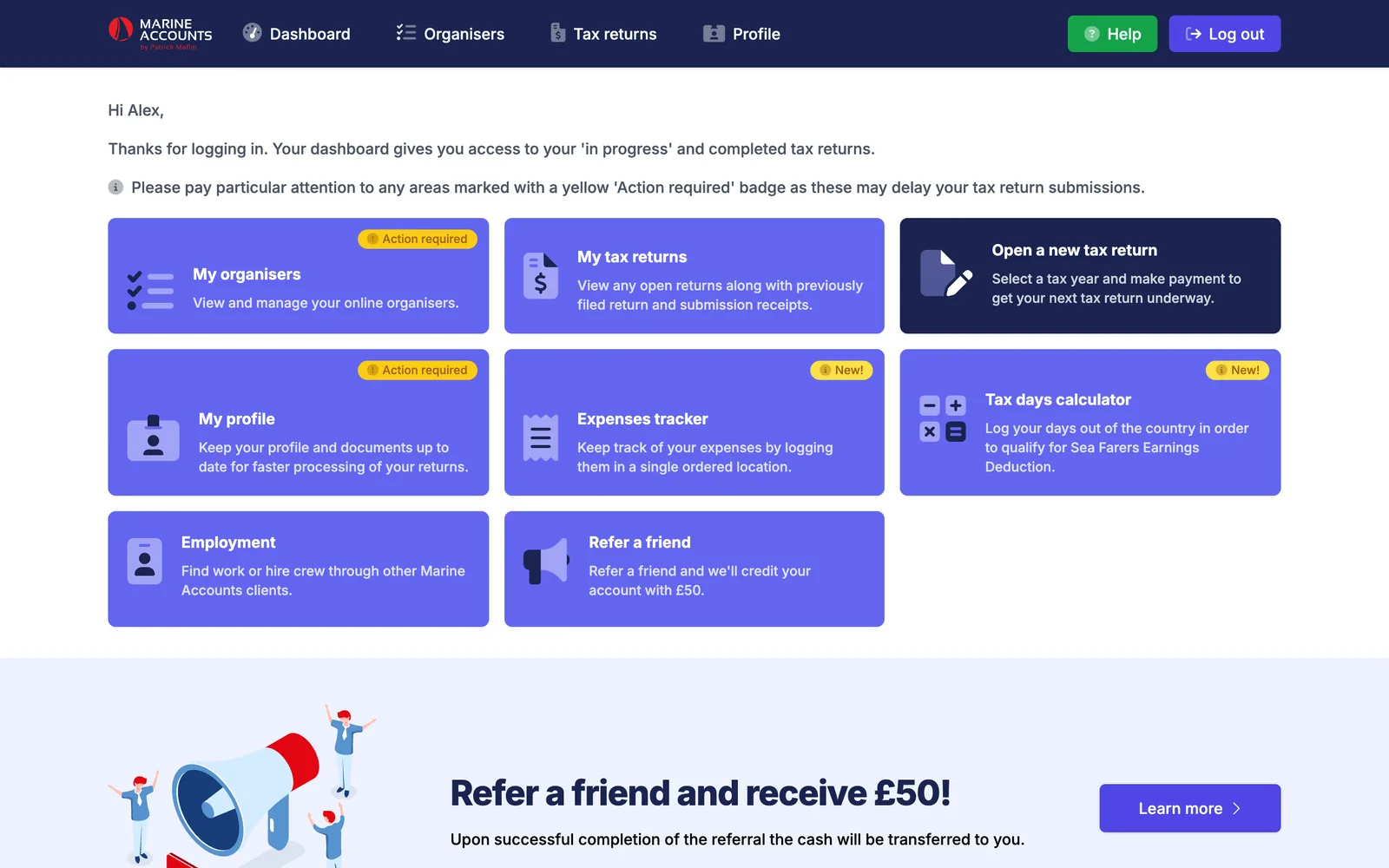
A dashboard that says what to do next
Each client sees their open returns, what has been filed, and a yellow “action required” badge on anything that is holding their return up. The engagement letter is read and signed on screen before anything else unlocks.
- Start a new return for any year or country and pay online
- Download HMRC submission receipts
- Refer a friend for account credit
-
02
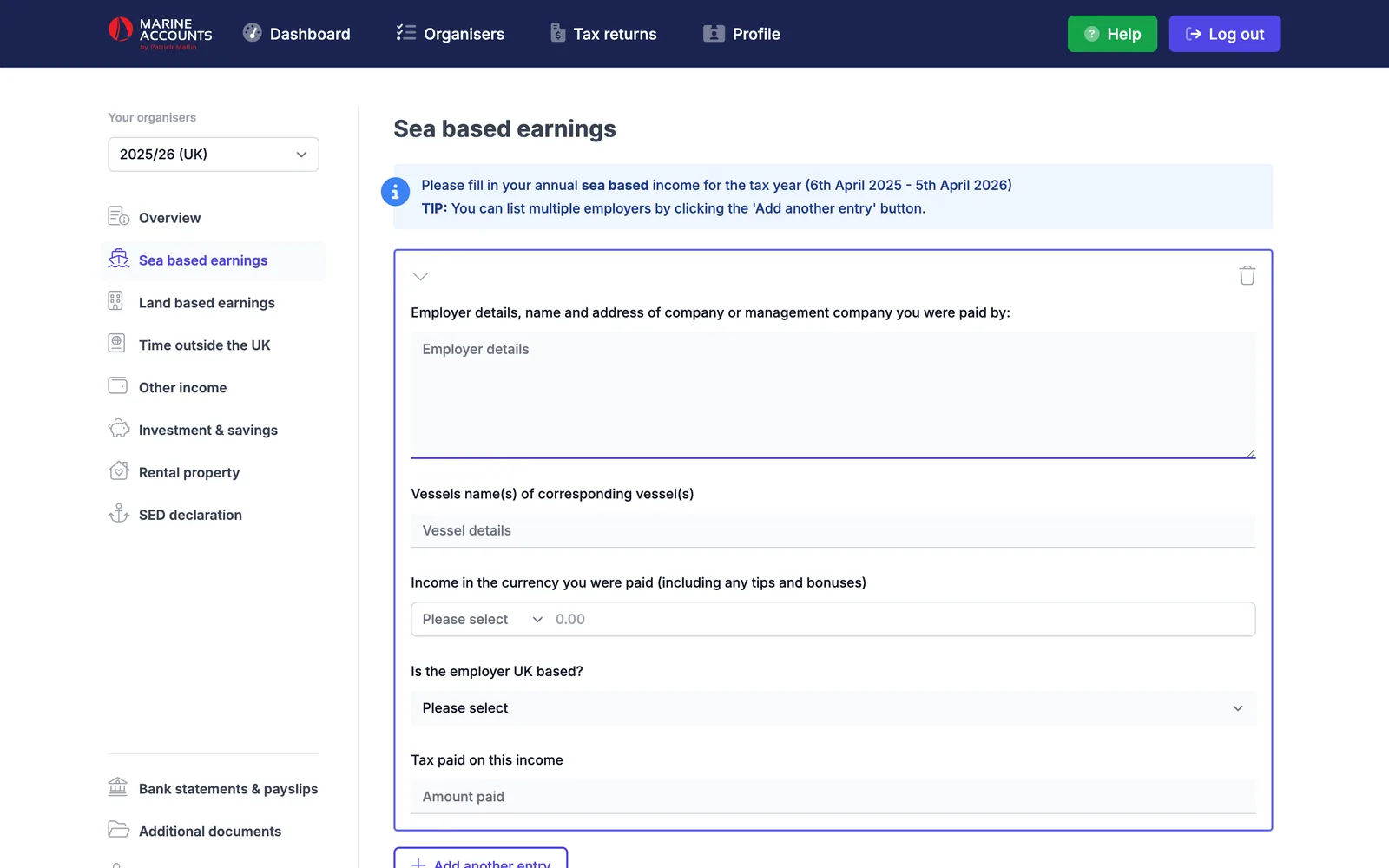
The organiser: a tax return as a conversation
Instead of a PDF questionnaire, clients work through short sections: sea earnings, land earnings, time outside the UK, property, savings. It saves as they type, so a dropped connection costs nothing, and it checks the answers before it lets them sign.
- Asks for a P60 or P45 when a refund is expected
- Requires a full 365 days of travel history on a first return
- Flags the same employer entered twice
- Signed on screen, with no third-party e-signature service
-
03
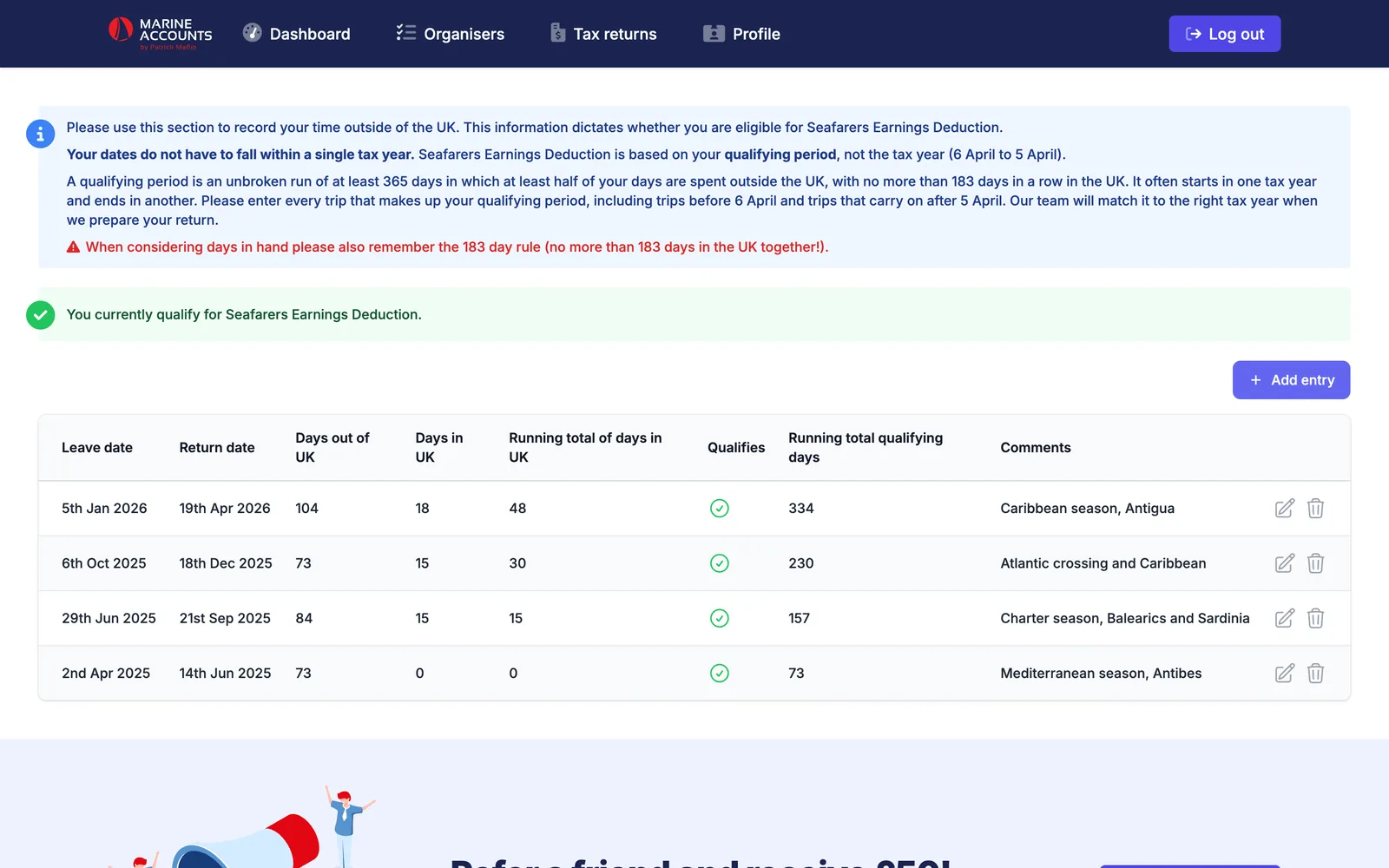
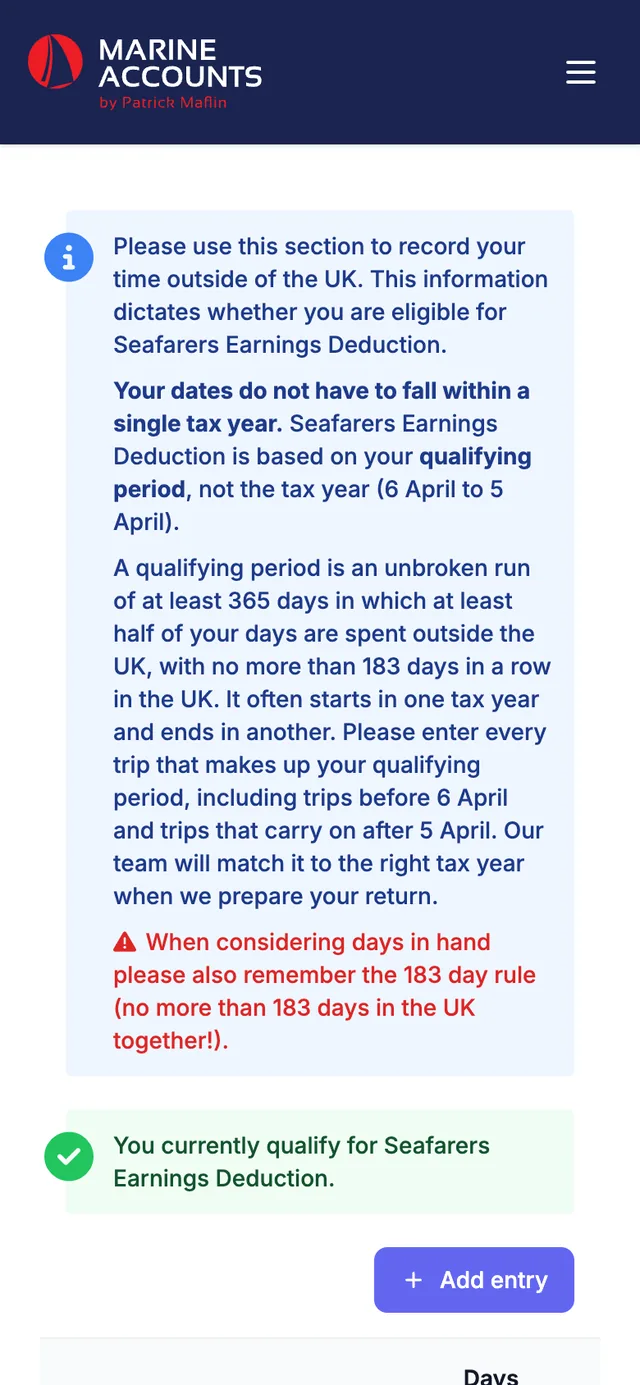
Days at sea, counted properly
The Seafarers’ Earnings Deduction depends on a 365-day qualifying period and strict limits on days spent in the UK. Clients log each trip and the calculator keeps a running total, telling them in plain words whether they currently qualify.
- Running totals of days in and out of the UK
- Qualifying status worked out trip by trip
- Staff can import an HMRC HS205 working sheet of sea days
-
04
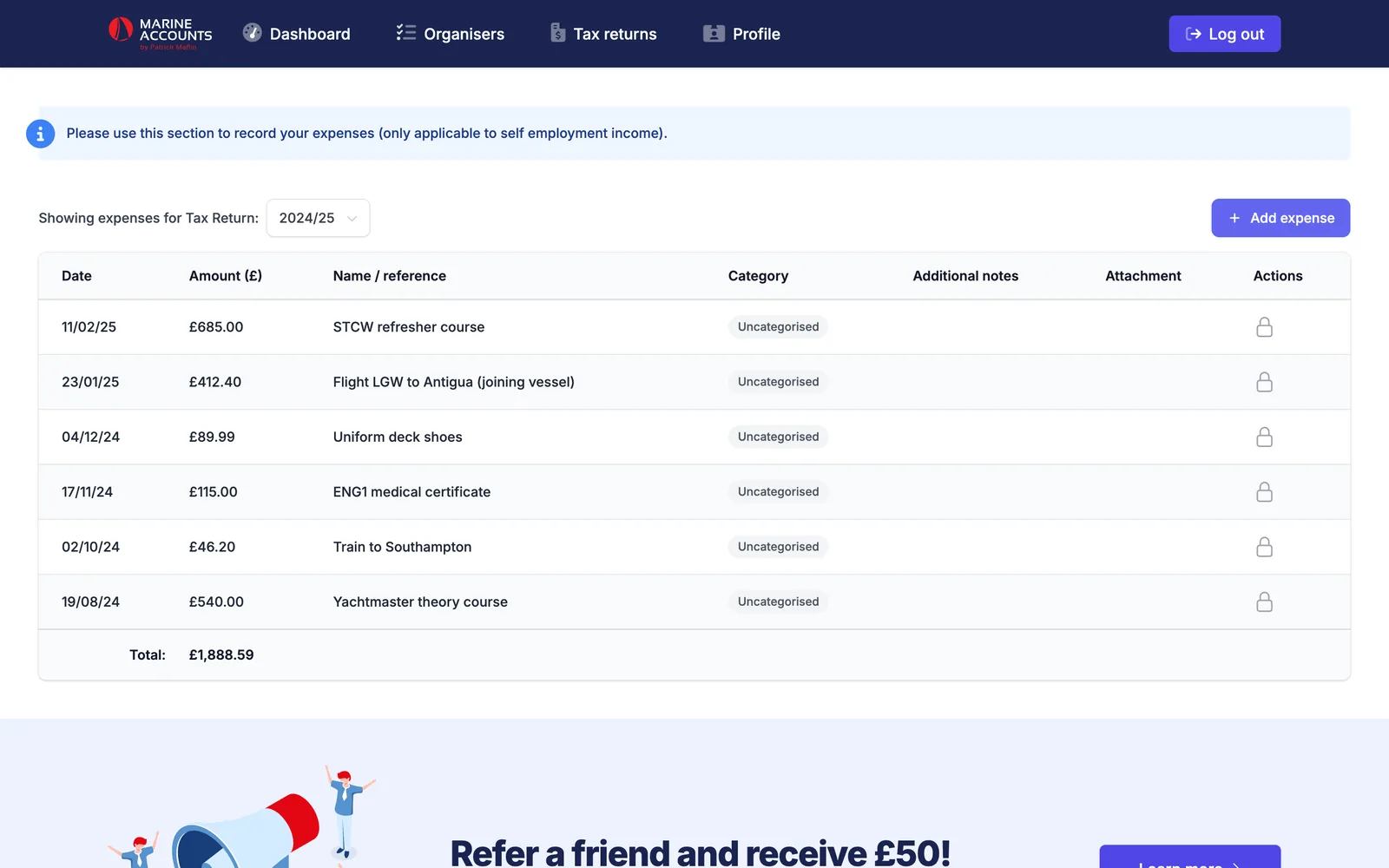
Expenses, kept as they happen
Training courses, flights to join a vessel, uniform: clients record costs through the year rather than hunting for receipts in January. Entries attach themselves to the right tax return, or to the right quarter for clients on Making Tax Digital.
- Receipts scanned in the app arrive here automatically
- Quarterly Making Tax Digital submissions for the self-employed and landlords
- Pay-per-quarter checkout built in
Applied AI
AI in two places. Both where it saves real time.
Neither feature is a demo. Each one removes a job that someone, client or accountant, used to do by hand, and each keeps a person in control of the result.
Mobile app · OpenAI GPT-4o vision
Photograph a receipt. The app fills in the form.
A client points their phone at a receipt. The image goes to our server, which asks a vision model to read it and return structured data: merchant, address, date, currency, total, tax, payment method and each line item. A few seconds later the expense form is filled in, ready to check.
- The client reviews and corrects every field before anything is saved
- Photos that aren’t receipts are recognised and turned away
- An optional location check compares the merchant’s address with where the phone is, and the phone’s location never leaves the device
- Saved receipts route themselves to the expenses tracker or the right Making Tax Digital quarter
- The AI key lives on the server, never inside the app
Website · OpenAI GPT-4o
An assistant that only says what the firm would say.
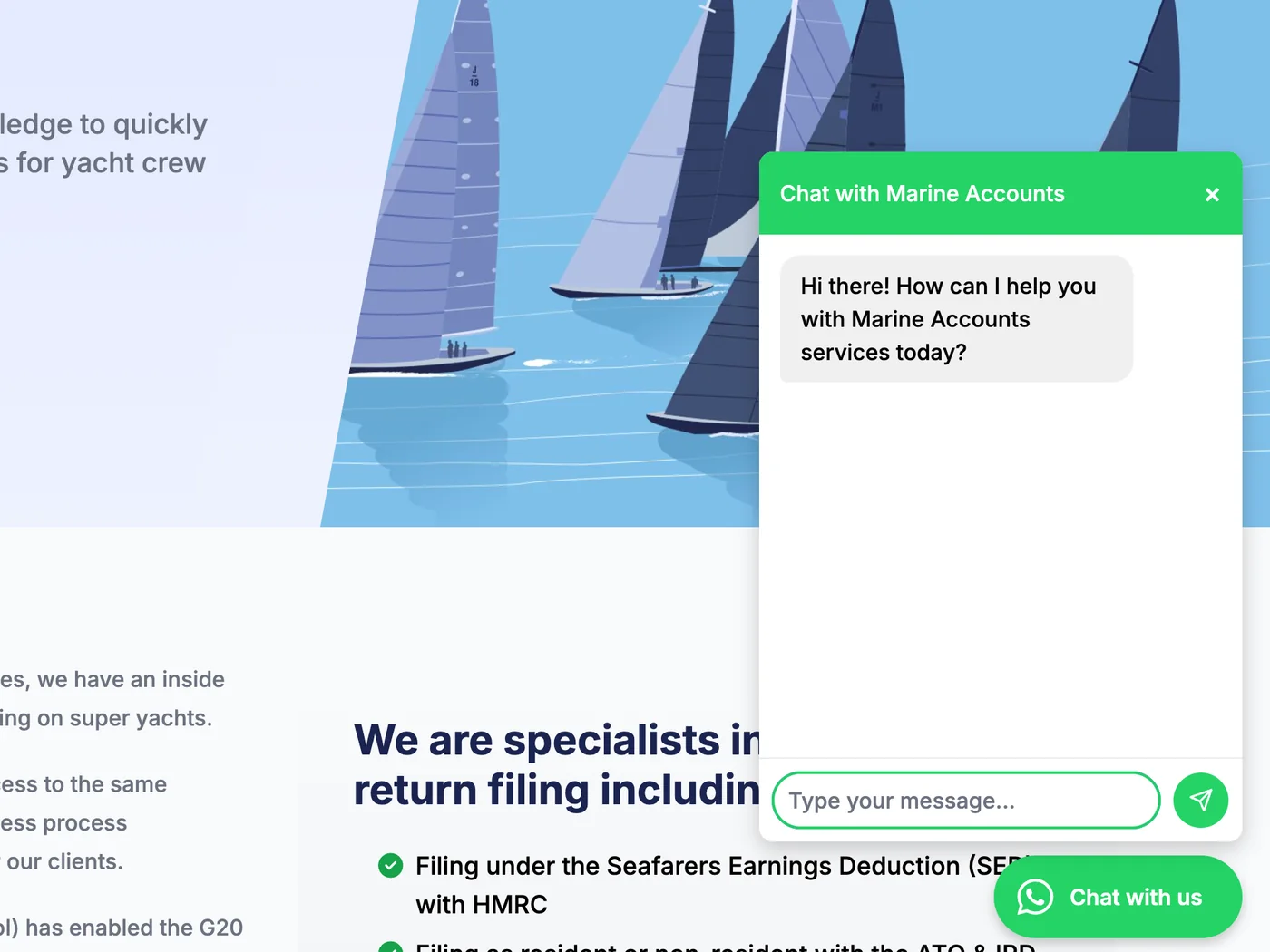
Tax is no place for a chatbot that improvises. The assistant on every page of the site answers from a knowledge base the Marine Accounts team controls: their own approved answers to common questions, plus the content of the website itself. Where an approved answer exists, it is used word for word.
- Staff add and edit answers themselves in the back office, with no developer involved
- Instructed never to invent facts
- Hands over to a person on WhatsApp, or to email when the office is closed
- Points visitors to the right free tool or service page
- Every conversation is logged for review, then deleted after twelve months
Automation
One tax return, start to finish. Count the steps a person does.
Follow a single return through the system. The accountants do the accountancy. Almost everything around it, the chasing, confirming, reminding and record-keeping, happens without anyone lifting a finger.
- Automated · 5
- AI · 2
- People · 1
-
Automated
A free test becomes a lead
A deckhand takes the SED eligibility test. Their result is emailed to them straight away, with a copy to the team. Anyone who starts a test and doesn’t finish appears in a list sent to the team at 7 o’clock the next morning.
-
AI
Questions answered at 2am, ship’s time
The website assistant answers from the firm’s approved knowledge base and passes anything it can’t handle to a person.
-
Automated
Payment opens the file
They sign up and pay through Stripe. The moment payment clears, the return is marked paid and the lead becomes a client. If they abandon the checkout, they are chased after three days, one week and two weeks, each time with a secure link that takes them straight back to pay.
-
Automated
The organiser checks its own homework
As the client fills in their return, the system validates it: travel history complete, supporting documents present, no duplicate employers. Every upload is logged on the client’s timeline and large files are compressed in the background.
-
AI
Receipts read by machine
Expenses photographed in the app are read by a vision model and filed against the right return or quarter once the client confirms them.
-
People
An accountant prepares and files
This is the part that needs a qualified person, and the software stays out of the way. Staff work from a back office built around their process, with returns assigned, searchable and tracked through more than twenty stages.
-
Automated
Every change of status tells everyone
When a return moves on a stage, one action emails the client using that stage’s template, sends a push notification to their phone, alerts the right member of staff and writes the client’s timeline. For company clients, uploading the HMRC receipt marks the return as filed and tells them so.
-
Automated
And the referral pays out
If a friend referred them, the referral credit is earned automatically when that first return reaches HMRC. Partners who refer clients get their own report on the first of every month.
On the clock
Done before anyone gets in.
Fifteen jobs run on a schedule. This is an ordinary weekday.
-
03:30
Companies House sync
Every client company’s status and filing deadlines are refreshed from the Companies House register.
-
07:00
Unfinished tests
Staff receive yesterday’s incomplete residency and SED tests to follow up.
-
07:30
Quarterly filing reminders
Making Tax Digital clients are reminded 21, 14, 7 and 2 days before each quarter is due.
-
08:00
Company deadline reminders
Tax return, confirmation statement and corporation-tax payment dates, from 90 days out down to the day before. Overdue items are chased weekly, then escalated to staff.
-
08:00
Each person’s day
Every member of staff gets a digest of their own reminders due today.
-
08:05
Renewals
Company packages due for renewal get a reminder with a one-click payment link.
-
08:30
Abandoned payments
Clients who started paying for a return and stopped are sent a secure link to finish.
-
Hourly
Campaign emails
Mailings the team define themselves, targeted by return status, payment, region or last year’s filing, with a dry-run mode that reports who would receive them.
-
Fri
Weekly sales report
The week’s sales, emailed at 8 o’clock on Friday morning.
Gallery
More of the build
-
SED eligibility test -
The portal on a phone -
Packages and sign-up -
Tax days, from anywhere -
Residency test
The mobile app
The portal, in a pocket. On the App Store and Google Play.
Launched in 2026 and built with React Native and Expo from a single TypeScript codebase. It talks to the same Laravel application as the website, so a return started on one can be finished on the other.
-
The whole organiser
Every section of the tax return, with autosave, document upload from the camera or files, and signing with a finger.
-
Receipt scanning
AI extraction from a photo, checked by the client, filed to the right place.
-
Messages with the team
Real-time two-way chat between clients and staff, with push and email notifications.
-
Face ID lock
Biometric unlock, with credentials held in the phone’s secure storage.
-
Push at every stage
Clients hear the moment their return moves forward or a deadline is close.
-
Works on bad signal
An offline state and automatic saving, built for marina wifi.
The back office
Built around how the practice actually works.
Staff run the business from a custom back office: clients, returns, companies, leads and referrals in one place, with the tools an accountancy needs alongside.
-
Workflow as data
Stages, email templates and staff alerts are records the team edit themselves, not code we have to change.
-
Three businesses, one system
Payments are routed to the right one of three Stripe accounts for the UK practice, the EU entity and the company-accounts arm.
-
A portal for companies
Limited-company clients review and sign VAT and company tax returns online, manage shareholders and pay for their package by subscription.
-
Vessel finder
Live ship-tracking data, searchable by area or vessel and matched to the clients on board.
-
Reports that find problems
Saved views for abandoned payments and for clients with gaps in their filing history.
-
A full audit trail
Status changes are audited, and uploads and stage changes are written to each client’s timeline.
Technology
A mature stack, chosen to last.
Six years in, the platform is still one Laravel application, covered by more than 500 automated tests, with the mobile app as a client of its API.
-
Laravel
Application
-
PHP
Language
-
Livewire
Portal UI
-
Tailwind CSS
Styling
-
MySQL
Database
-
Stripe
Payments
-
OpenAI
Vision & chat
-
REST API
App backend
-
React Native
Mobile app
-
Expo
Builds & updates
-
TypeScript
App language
-
iOS & Android
Both stores
- Companies House
- Stripe Checkout & subscriptions
- OpenAI
- Google Geocoding
- Mailchimp
- Pusher
- Expo Push
- Cloudflare Turnstile
- AIS vessel tracking
Your project
Have a process that should run itself?
If your team spends its days chasing, re-keying and reminding, there is probably software to be built. We’d be glad to talk it through.