Case study 03· EV charging & home energy
Sync Energy: Thousands of installers. One place to train them.
A website and an installer portal for a UK maker of EV chargers and home energy systems. Electricians register, train online, earn a personalised certificate and get listed for customers to find, with every form feeding the right team and the right record in Salesforce.
- Client
- Sync Energy, part of the Luceco plc group
- Sector
- EV chargers and home energy for homes and businesses
- Engagement
- Since 2022
- Scope
- Website design and build, installer portal, online training, Salesforce integration
- Today
- Sync Energy run the public site in-house; we look after the installer portal
Overview
A product is only as good as the person fitting it.
Sync Energy make EV chargers, battery storage and home energy systems, sold through wholesalers and fitted by independent electricians across the UK and Ireland. Every installation depends on someone outside the company doing the job properly.
That makes the installer the most important person in the business. They need to know each product before they fit it, Sync Energy need to know who has been trained, and a homeowner searching for someone local needs to find an electrician they can trust.
We designed and built the Sync Energy website in 2022, and alongside it the installer portal: the place electricians register, train, get certified and stay in touch. The public site is now run by Sync Energy’s own team on that original build, and we continue to develop the portal.
- Online training courses
- 6
- One for each product family
- Quiz questions installers must get right
- 120
- No pass mark: every answer counts
- Kinds of email sent automatically
- 23
- Each form routed to the right team
- Product configurators built for the website
- 13
- From single chargers to battery kits
The public site
A catalogue that sells.
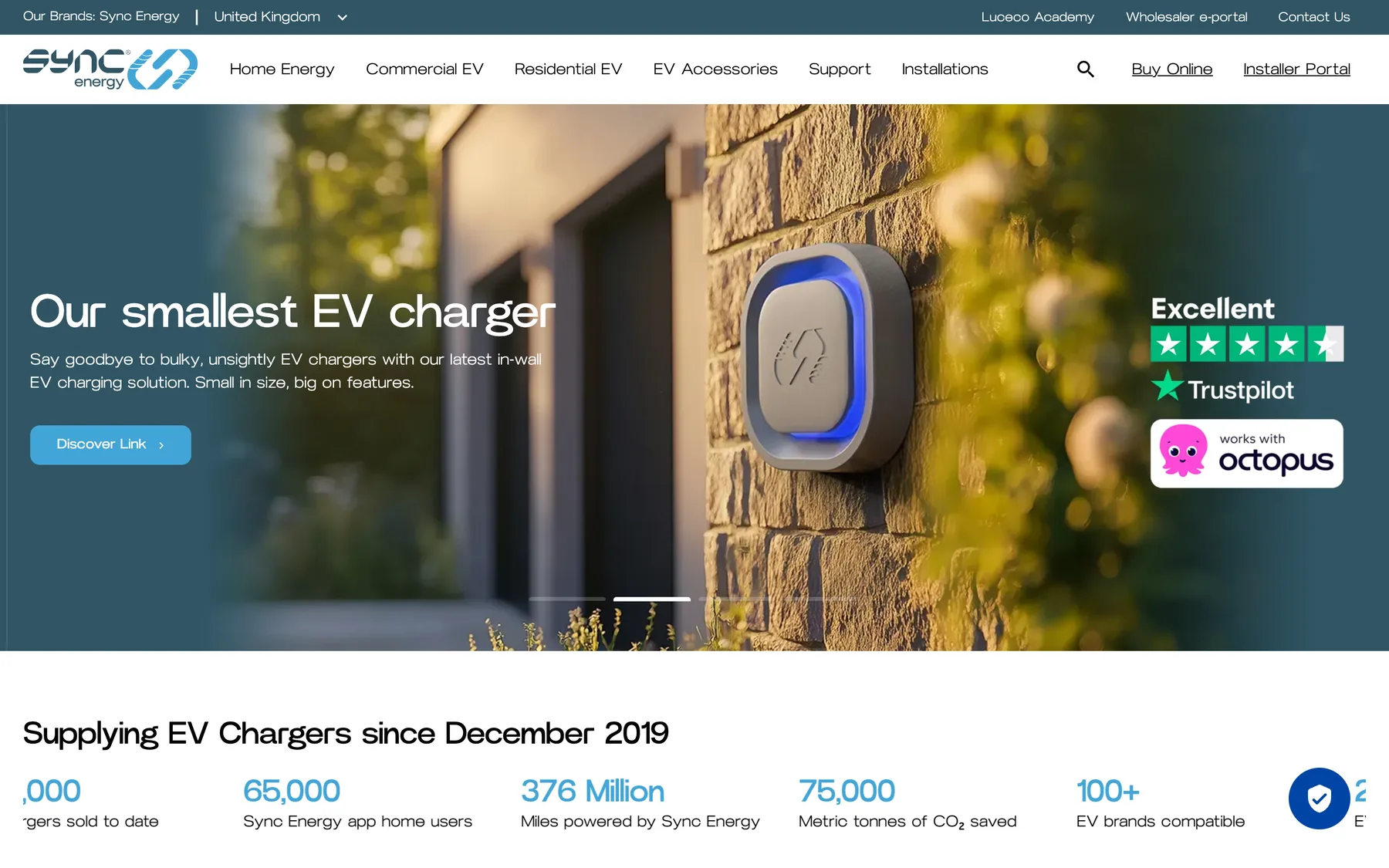
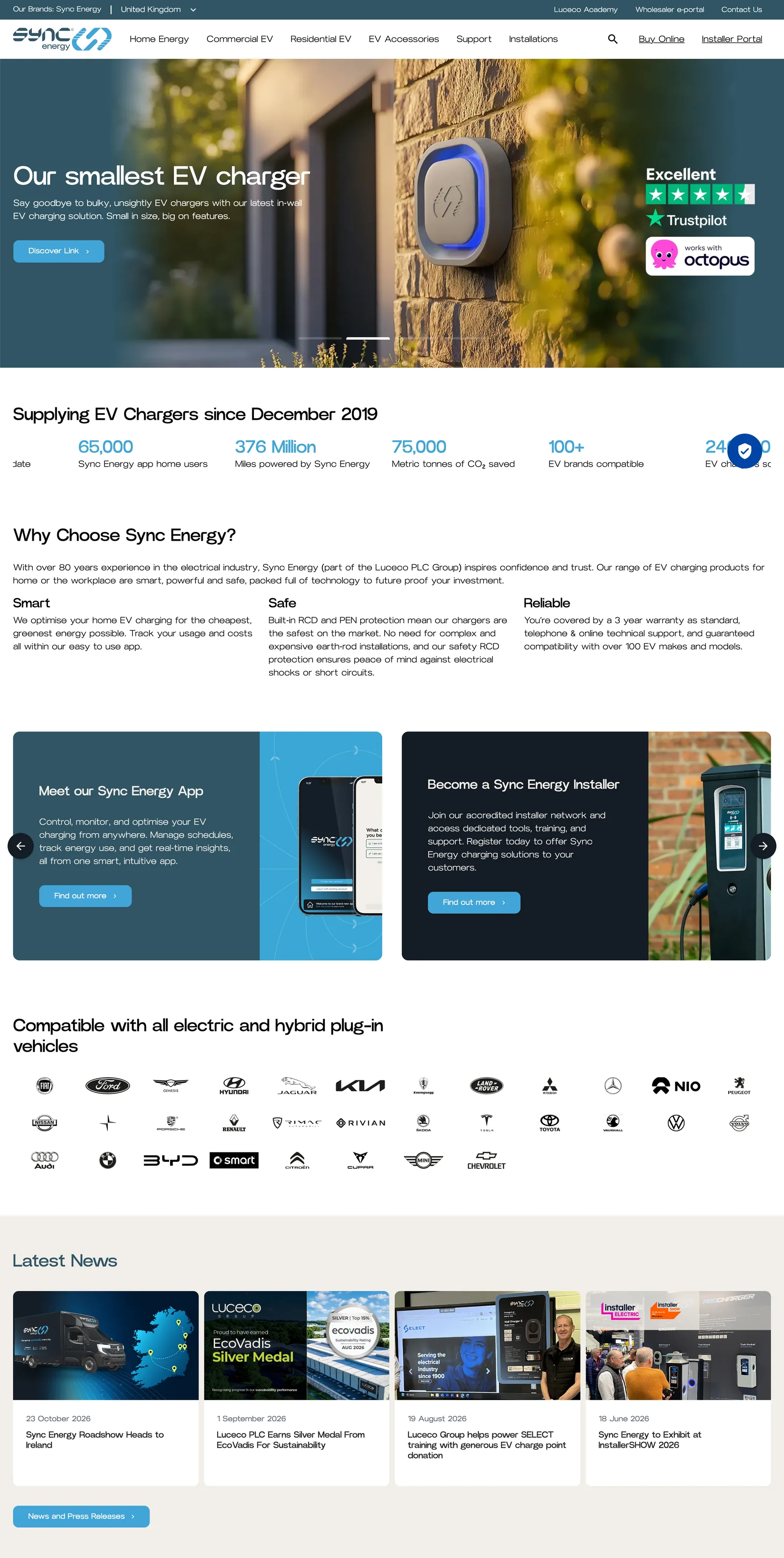
The website presents a broad, technical range clearly: home and commercial chargers, batteries, inverters and accessories. Product configurators walk a visitor from “I need a charger” to the exact model, and a postcode search finds their nearest registered installer.
It was built on a page builder with more than thirty content layouts, so Sync Energy’s marketing team could create and rearrange pages without us. The screens here are from the live site as it is today, which the client now runs themselves.
- Product ranges, news, case studies and support
- Configurators for chargers, cables, batteries and kits
- Find a registered installer by postcode
- Find a stockist on a map
- Enquiry, order and warranty forms for every audience
The installer portal
Everything an installer needs, behind one login.
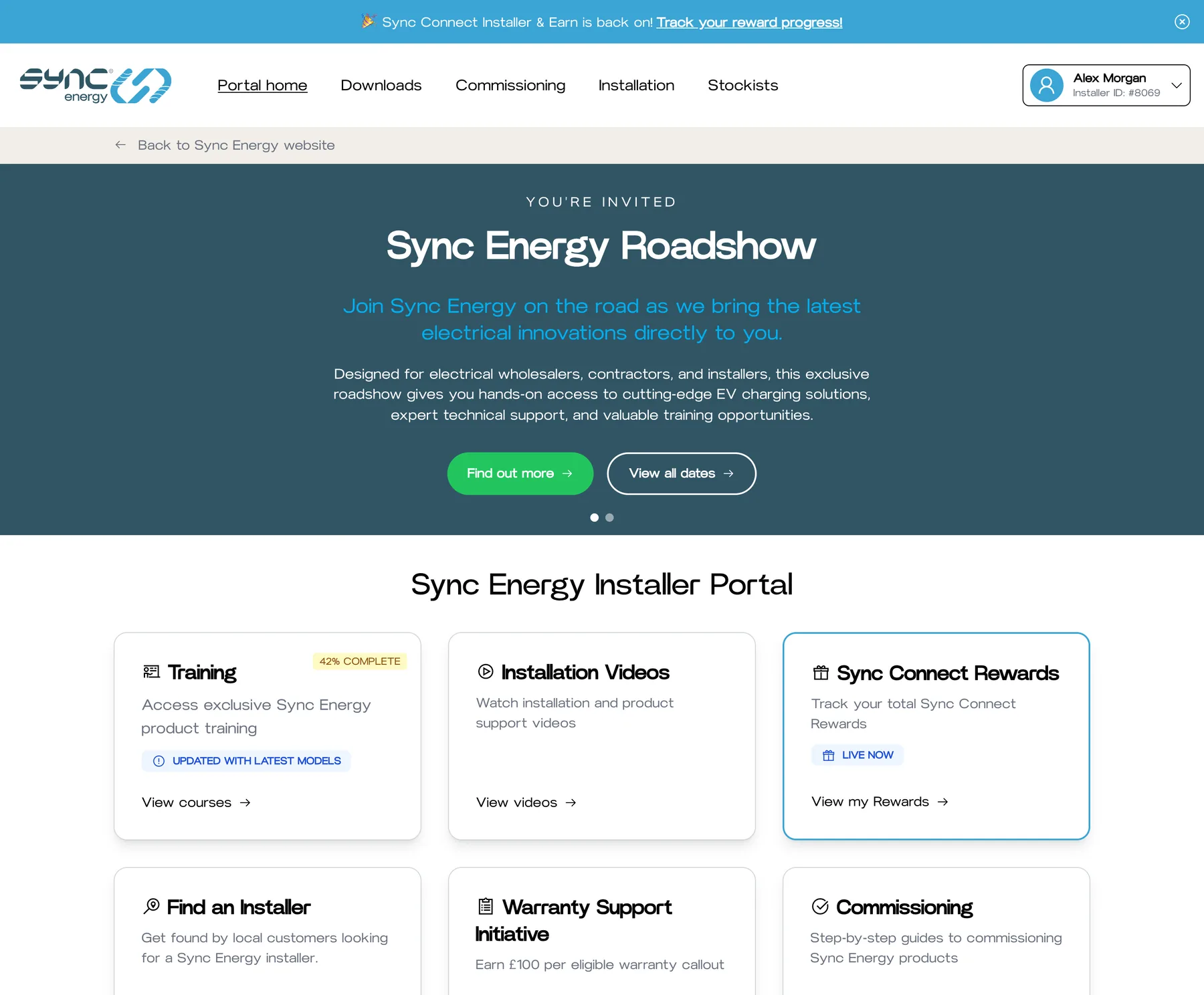
Registration takes a few minutes and access is immediate. From then on the portal is an installer’s home with Sync Energy. The installer shown throughout is fictional.
-
A dashboard that knows you
Training progress, reward totals and the tools on offer all reflect the installer who is signed in.
-
Run by the marketing team
The banner, tiles and live promotions are edited in the back office, so a new campaign needs no development.
-
In English and Spanish
Registration works in both languages, each feeding its own campaign in Salesforce.
Online training
From first video to framed certificate.
Product training doesn’t have to mean a day out of an electrician’s diary. Here it is a course they can take between jobs, and Sync Energy know exactly who has completed what.
-
01
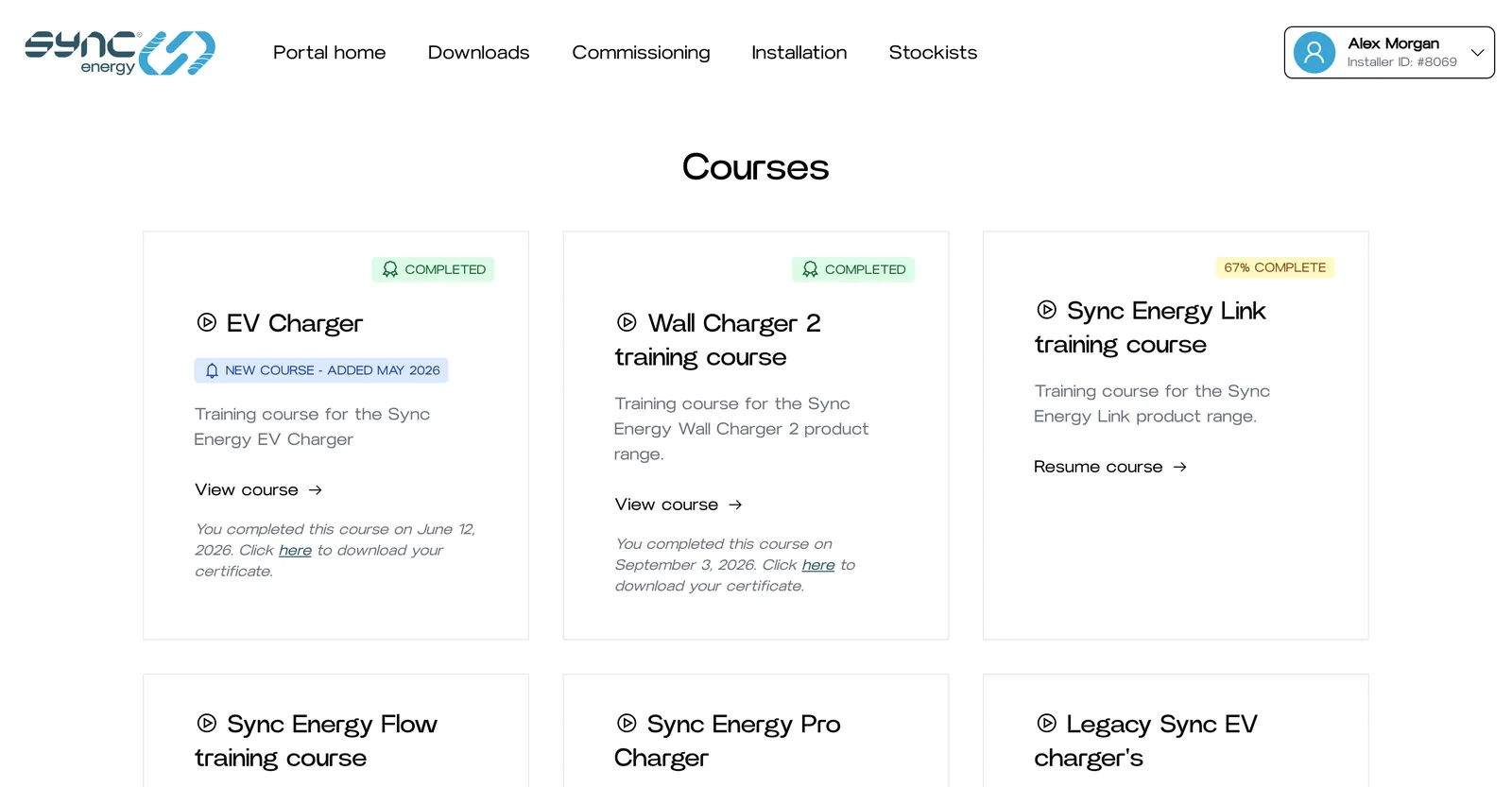
A course for every product
Each product family has its own course. The list shows what an installer has finished, what they are part-way through and what is new, with completed courses offering their certificate straight away.
- Courses for chargers, batteries and inverters
- New courses are flagged when a product launches
- Progress is shown on the portal home page too
-
02
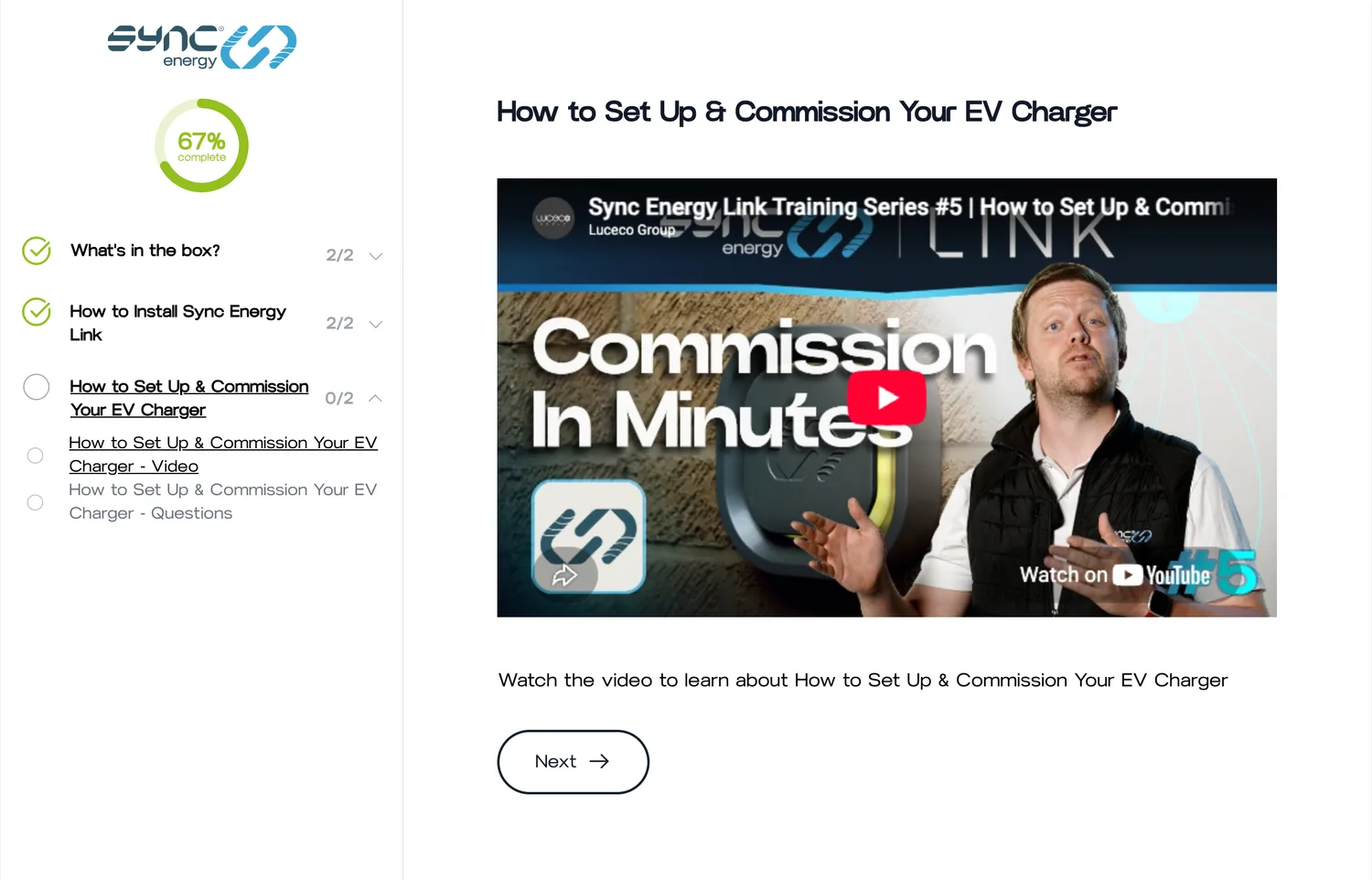
Short lessons, real footage
Courses are broken into chapters and lessons, each built from video and written slides. Progress is saved after every lesson, so an installer can stop on site and pick up exactly where they left off that evening.
- A progress ring and a chapter list always in view
- Resume from the last lesson on any device
- Sync Energy’s team edit courses in place, slide by slide
-
03
Questions that have to be right
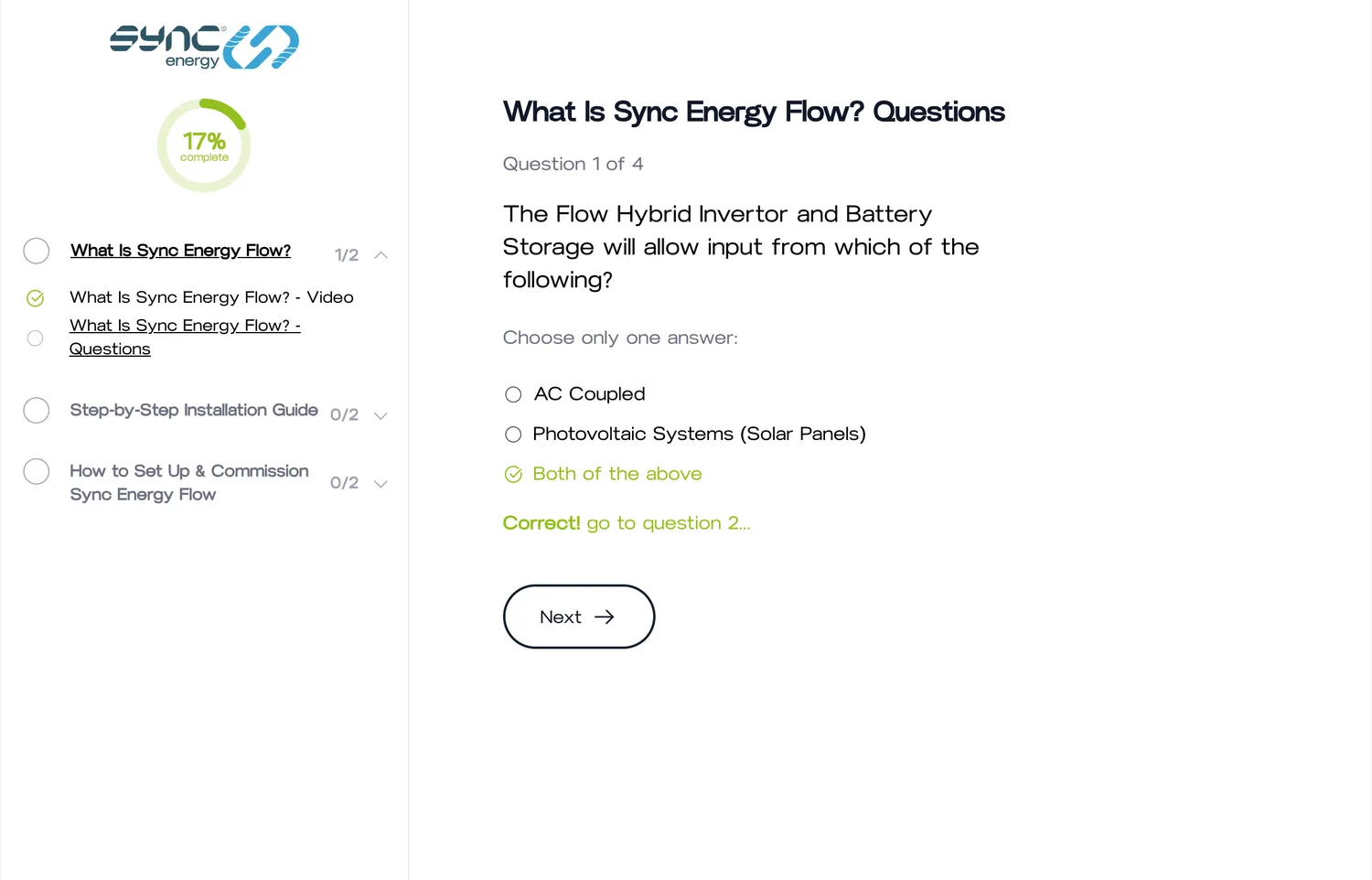
Each lesson ends with questions. There is no pass mark to scrape past: every question must be answered correctly before the course moves on. An installer who finishes has understood all of it.
- Single and multiple-answer questions
- Immediate feedback on each answer
- More than a hundred questions across the courses
-
04
A certificate, the moment they finish
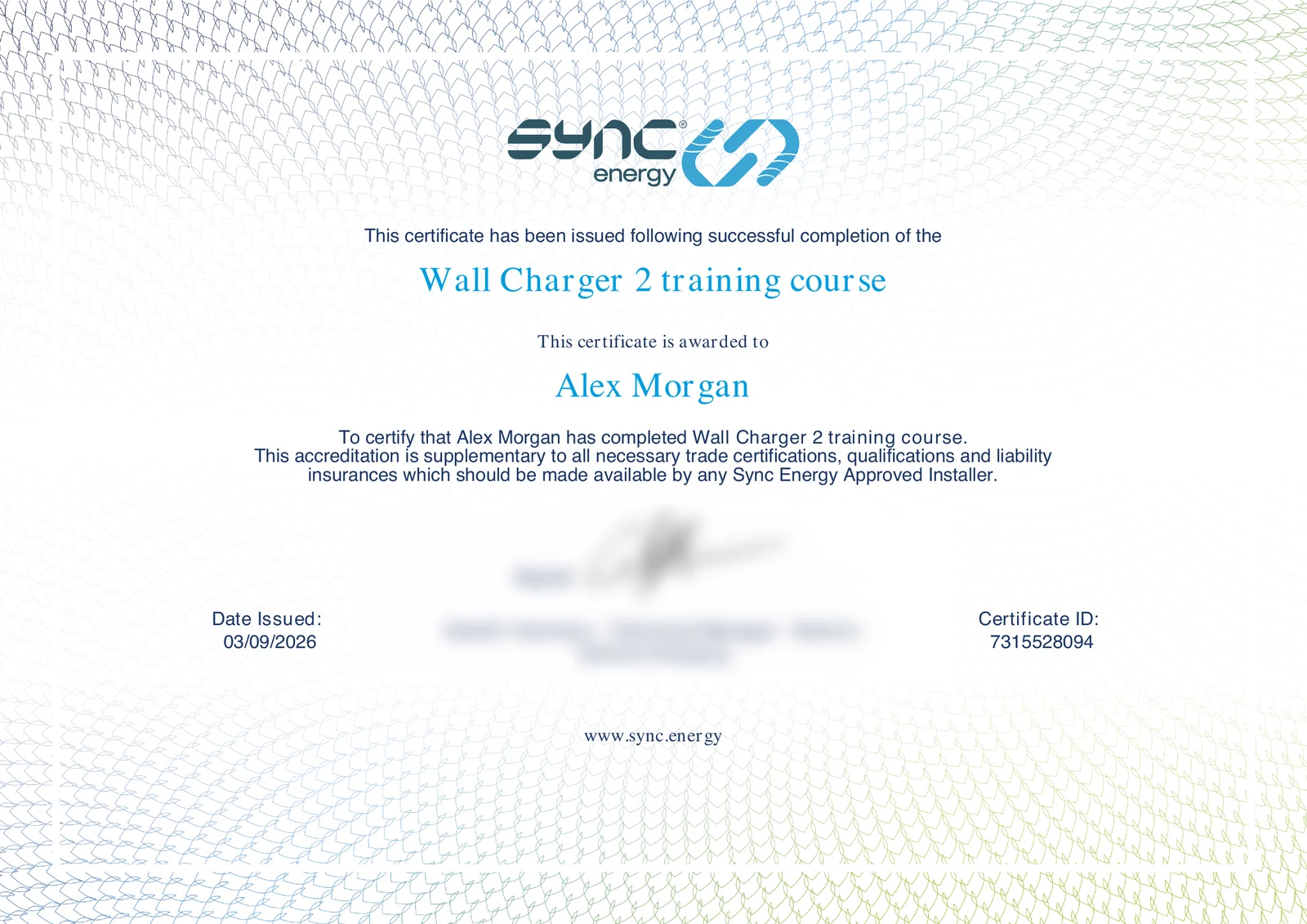
As soon as the last question is answered, the installer can download a PDF certificate personalised with their name, the course, the date and a unique certificate number. Nobody at Sync Energy has to make it, and the team are told who has qualified.
- Generated on demand as a print-ready A4 PDF
- A unique ID on every certificate
- Always available to download again from the portal
Salesforce integration
Forms that file themselves in Salesforce.
Sync Energy’s sales and service teams work in Salesforce. Rather than have anyone copy details across from an inbox, the forms we built for the website and the portal write to it directly.
-
An installer registers
Company, trade memberships, team size and how many EV and solar installs they do, with marketing consent.
Sent to Account Engagement prospect Triggers the welcome email
-
A customer claims on a warranty
Charger model, serial number, installation date and a description of the fault.
Sent to Service Case Custom charger fields filled in
-
A technician completes a warranty visit
Signed off on site from their phone, with serial numbers and photos.
Sent to Service Case Linked to the original case number
-
A faulty item is returned to the store
The return is raised with the online shop and the service team at the same moment.
Sent to Service Case With a link to the order
-
A business or wholesaler enquires
Commercial projects, workplace charging and trade enquiries from the website’s contact and order forms.
Sent to Account Engagement prospect Ready for the sales team
-
Nothing is lost
Every submission is saved in the portal and emailed to the right team before Salesforce is called, so a hiccup at either end never loses an enquiry.
-
Clean data in
Phone numbers are tidied and required fields checked before sending, because a rejected record helps nobody.
-
Failures are noticed
If Salesforce refuses a registration, the error is logged and reported to us, and missed records can be re-sent in bulk.
Automation
From stranger to registered installer. Count the steps a person does.
Follow one electrician through the portal. Sync Energy’s team make one decision along the way. The portal does everything else.
- Automated · 8
- People · 1
-
Automated
Registration opens the door
An electrician fills in a three-step form. Their account is created with portal access at once. The team are emailed, and their details go to Salesforce, which sends the welcome email.
-
Automated
Big fish are spotted
Anyone who says they fit more than thirty chargers a month triggers a separate alert to the sales team, so high-volume installers get a call rather than a queue.
-
Automated
Training keeps its place
They work through a course in their own time. Progress is saved after each lesson and the dashboard shows how far they have got.
-
Automated
Every answer is checked
The course will not advance past a wrong answer. Completion means every question, in every lesson, was answered correctly.
-
Automated
The certificate makes itself
Completion is recorded with a unique certificate number, the personalised PDF is ready to download, and Sync Energy are emailed the installer’s name and company.
-
Automated
A pin goes on the map
The installer asks to be listed for customers to find and confirms their company details. Any missing map coordinates are worked out from the postcode, for UK and Irish addresses alike.
-
People
Sync Energy approve the listing
A person checks the company and ticks a box. A monthly email lists anyone still waiting, so nobody is forgotten.
-
Automated
Congratulations, and customers
The installer is emailed to say they are now a Registered Installer, and they become findable by homeowners searching their postcode.
-
Automated
Rewards add themselves up
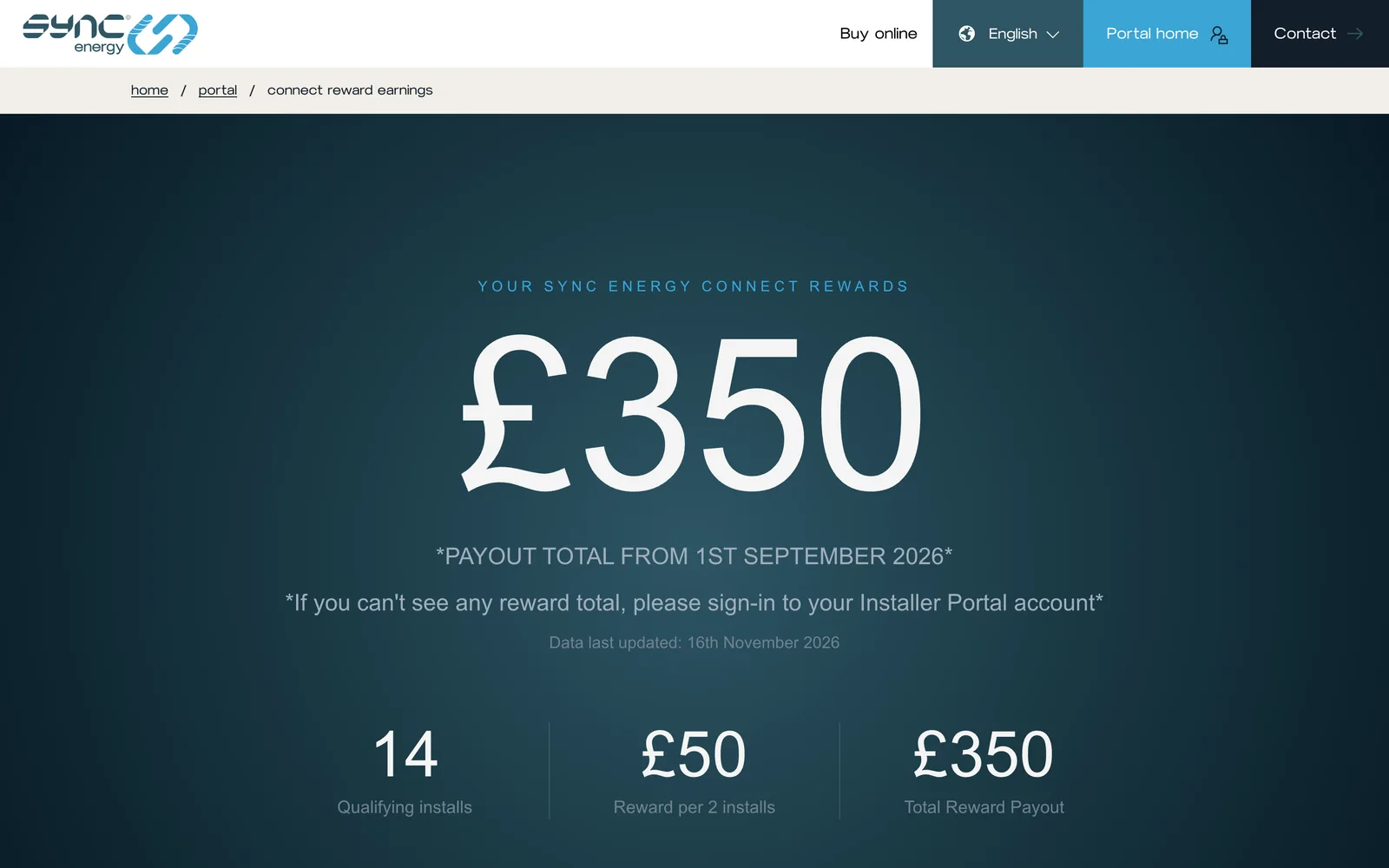
When Sync Energy upload the latest promotion results, each installer’s rewards page updates with their own installs and payout, written into the page in plain words.
Gallery
More of the build
-
Rewards, personal to each installer -
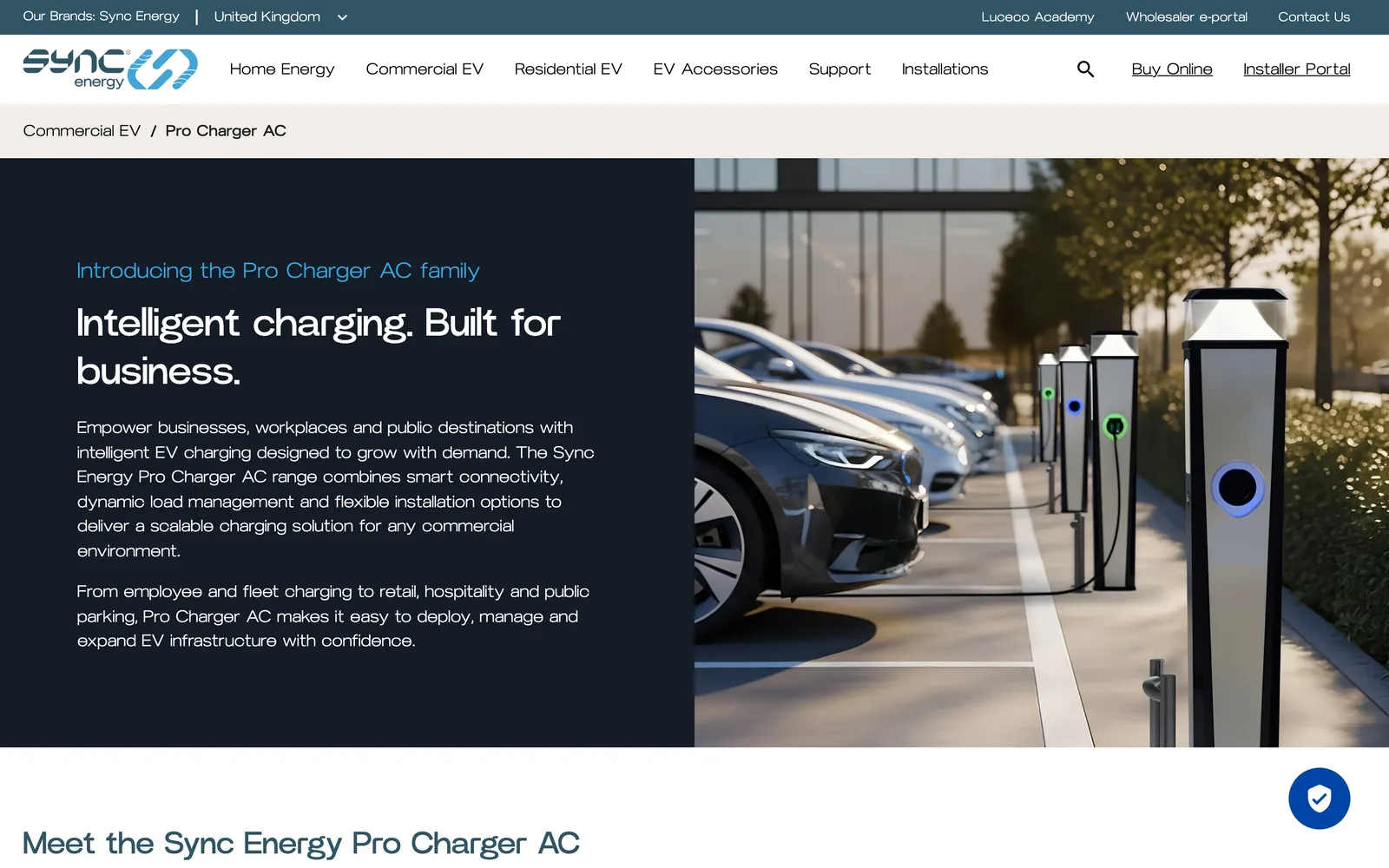
Commercial range page -
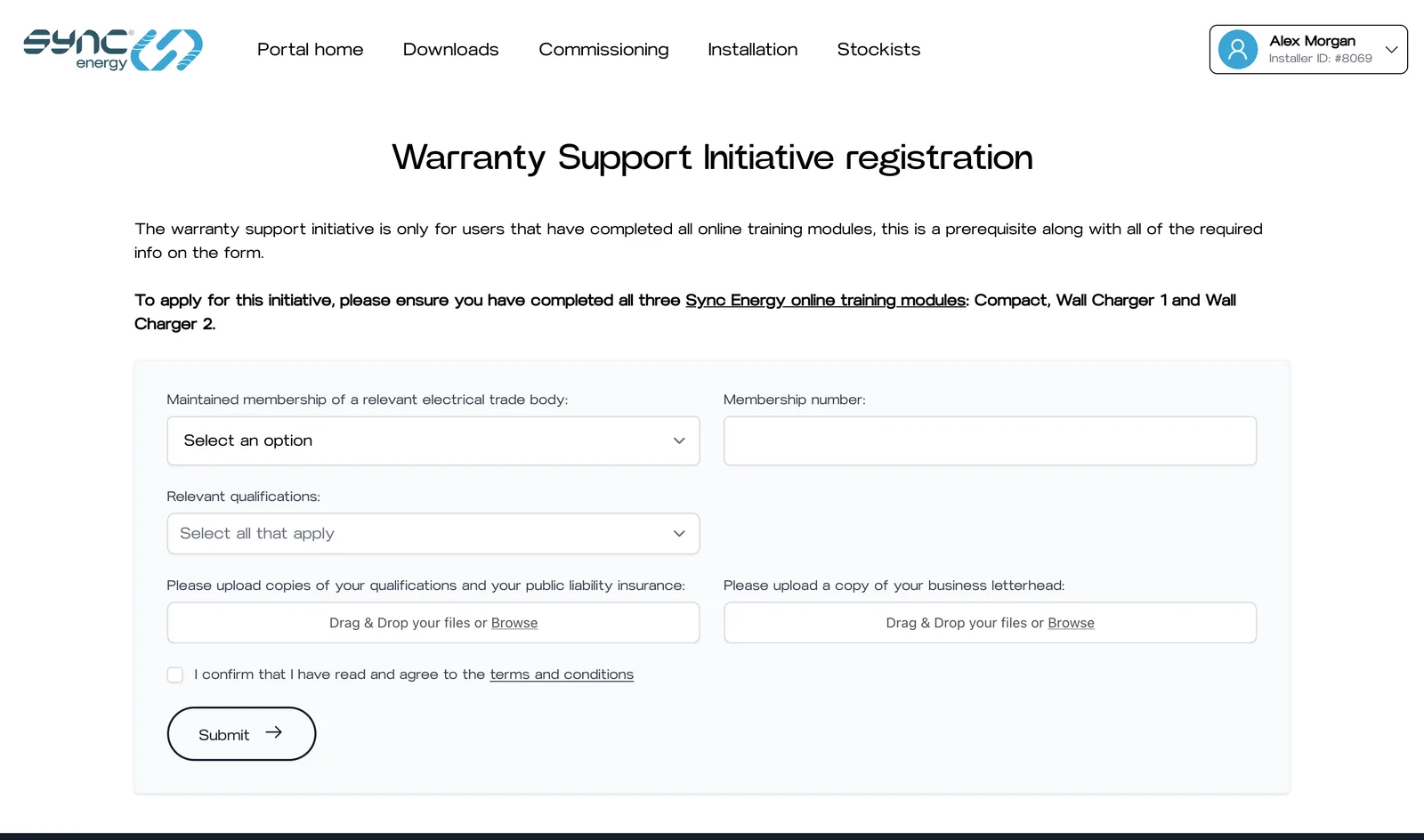
Applying to carry out warranty work -
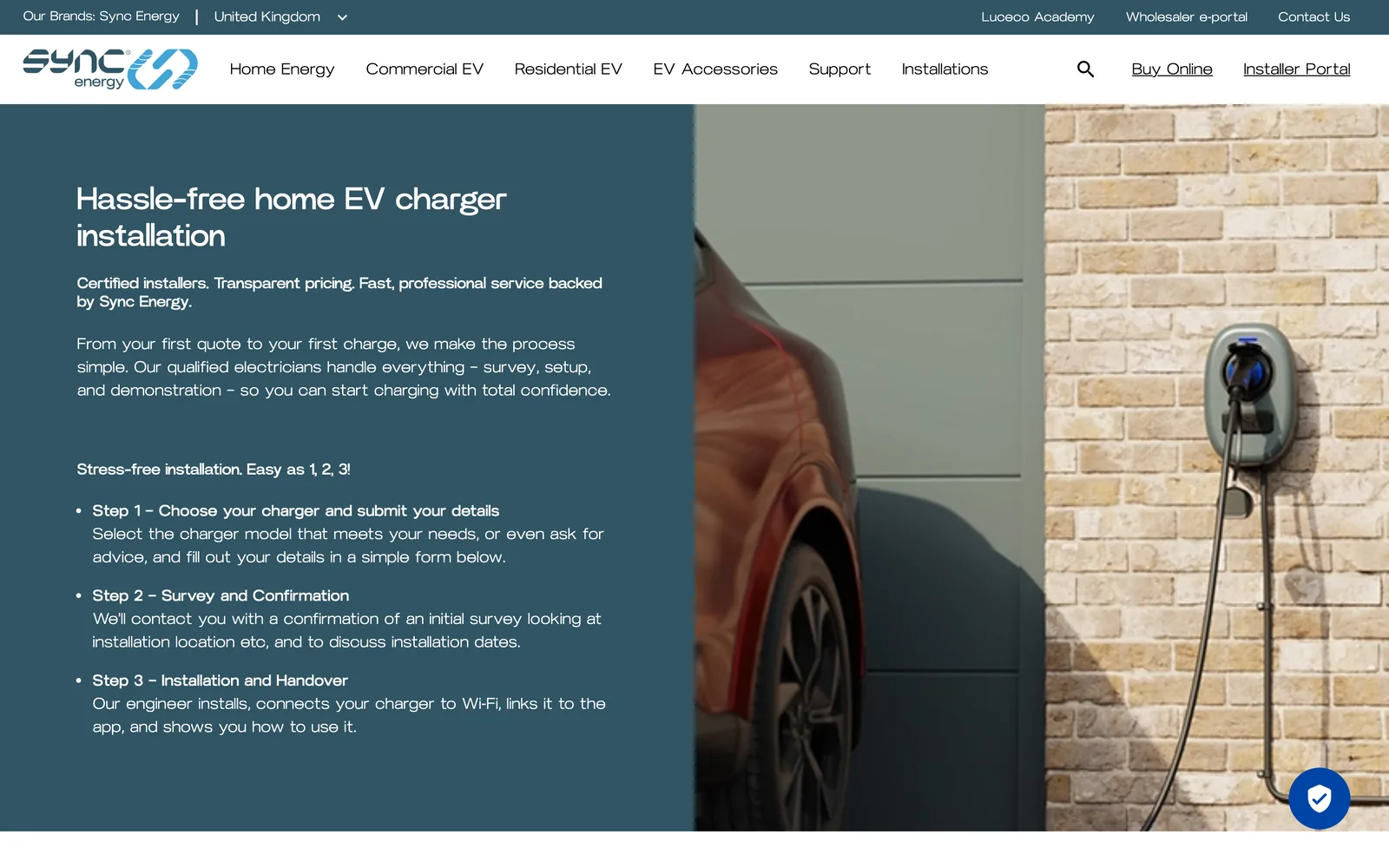
Home installation service -
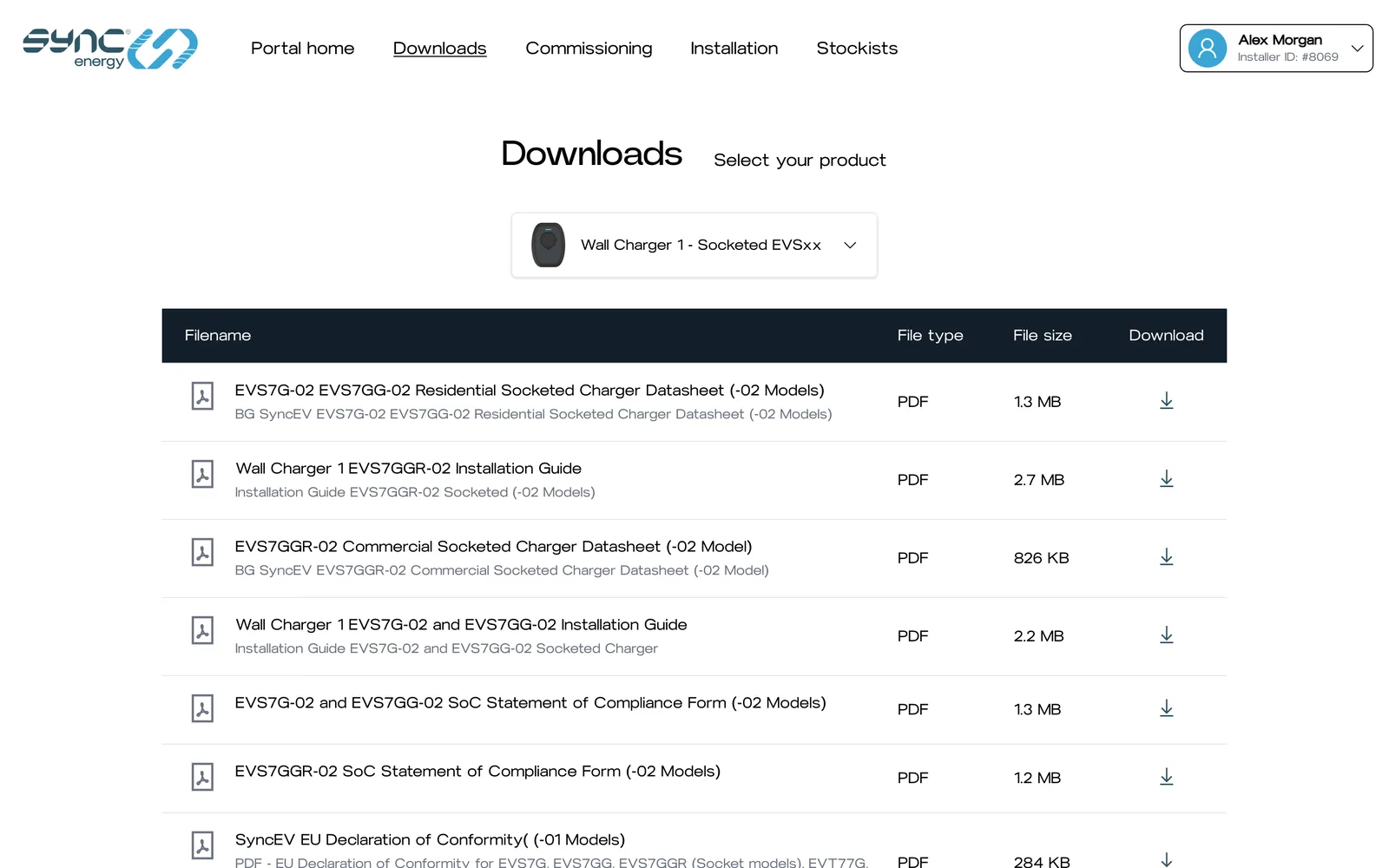
Datasheets and guides by product -
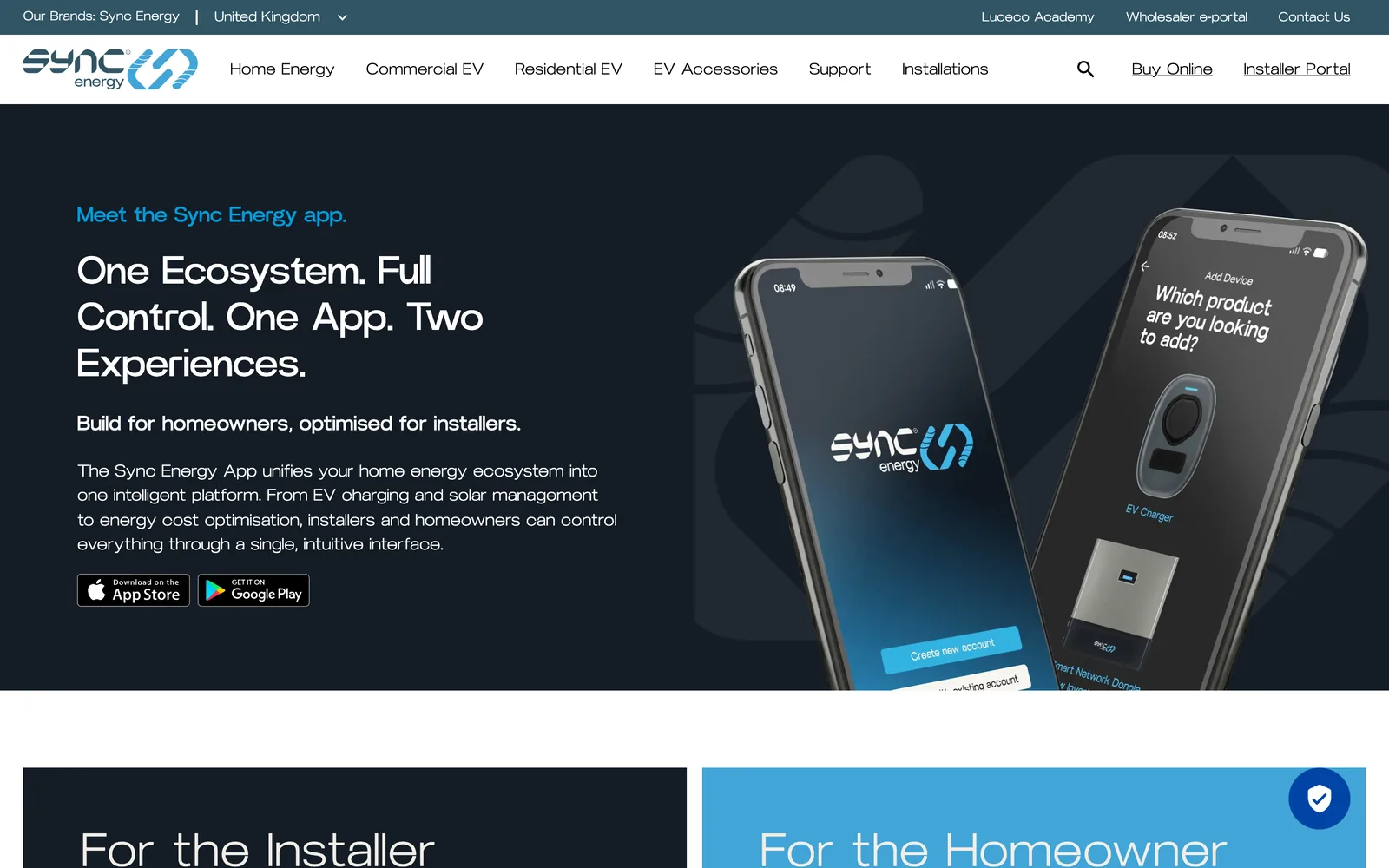
Mobile app landing page
Also in the portal
The working tools of the trade.
Beyond training, the portal covers the practical side of being a Sync Energy installer, and gives the team behind it the controls they need.
-
Warranty work, unlocked
Installers apply to carry out paid warranty visits. When the team approve an application, the on-site visit form appears in that installer’s portal automatically.
-
Orders from the online shop
An installer’s purchases from the Sync Energy store appear in the portal, read live from Shopify.
-
Stock that stays current
Every day the portal collects the supplier’s stock file, updates availability across the range and emails a warning about anything running low.
-
Courses edited in place
Staff with the right access edit chapters, slides and questions on the course page itself. Slide thumbnails are generated for them.
-
Answers on a spreadsheet
Installer lists, warranty registrations and applications export to Excel and arrive by email, ready for the team that asked.
-
See what they see
Support staff can view the portal as any installer, which turns “it isn’t working” into a two-minute fix.
Technology
Proven tools, well connected.
One Laravel application has carried the website and the portal since 2022. Its strength is in how it talks to everything around it.
-
Laravel
Application
-
PHP
Language
-
Livewire
Forms & training
-
Alpine.js
Interactivity
-
Tailwind CSS
Styling
-
MySQL
Database
-
Salesforce
CRM & service
-
REST API
Installer finder
- Salesforce Service Cloud
- Salesforce Account Engagement
- Shopify
- Google Maps
- Postcode lookup
- PDF generation
- Supplier stock feed
- Stackwatch monitoring
Your project
Have a process that should run itself?
If your team spends its days chasing, re-keying and reminding, there is probably software to be built. We’d be glad to talk it through.